
iOS app · Health & Fitness
BullTime: a strength-training timer that guides every rep
Follow your workout without staring at the screen. BullTime counts your reps, keeps the tempo of every phase and times your rest with sound and voice cues, so all you have to do is lift.
Coming soon to the App Store
What BullTime does
Sound and voice cues
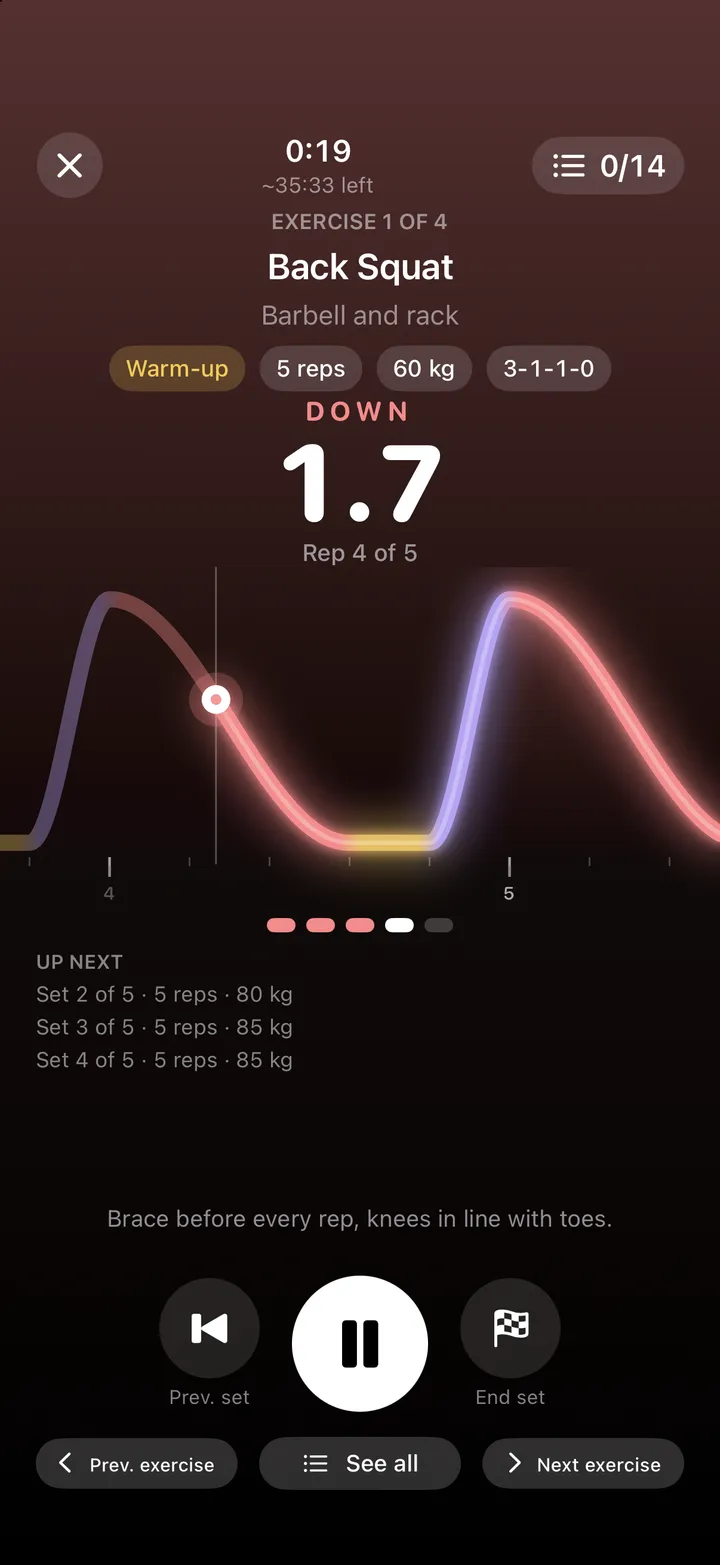
Tones for lowering, pausing and lifting, the rep count out loud and a countdown before every set and at the end of every rest. You can follow it on the Lock Screen too.
Tempo you can see
A live wave draws every rep: it dips during the eccentric phase, stays flat in the pauses and rises during the concentric, so you always know where you are.
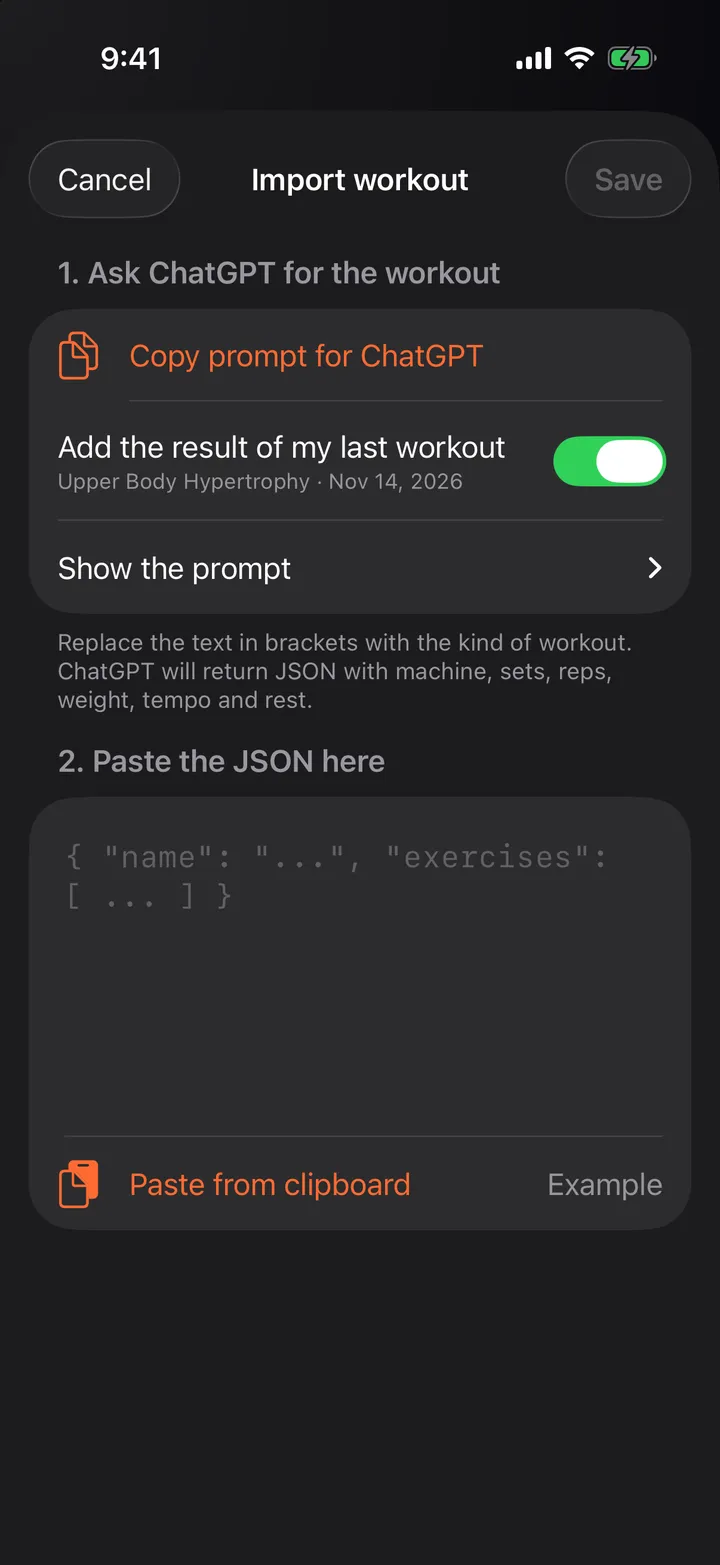
Workouts by hand or from ChatGPT
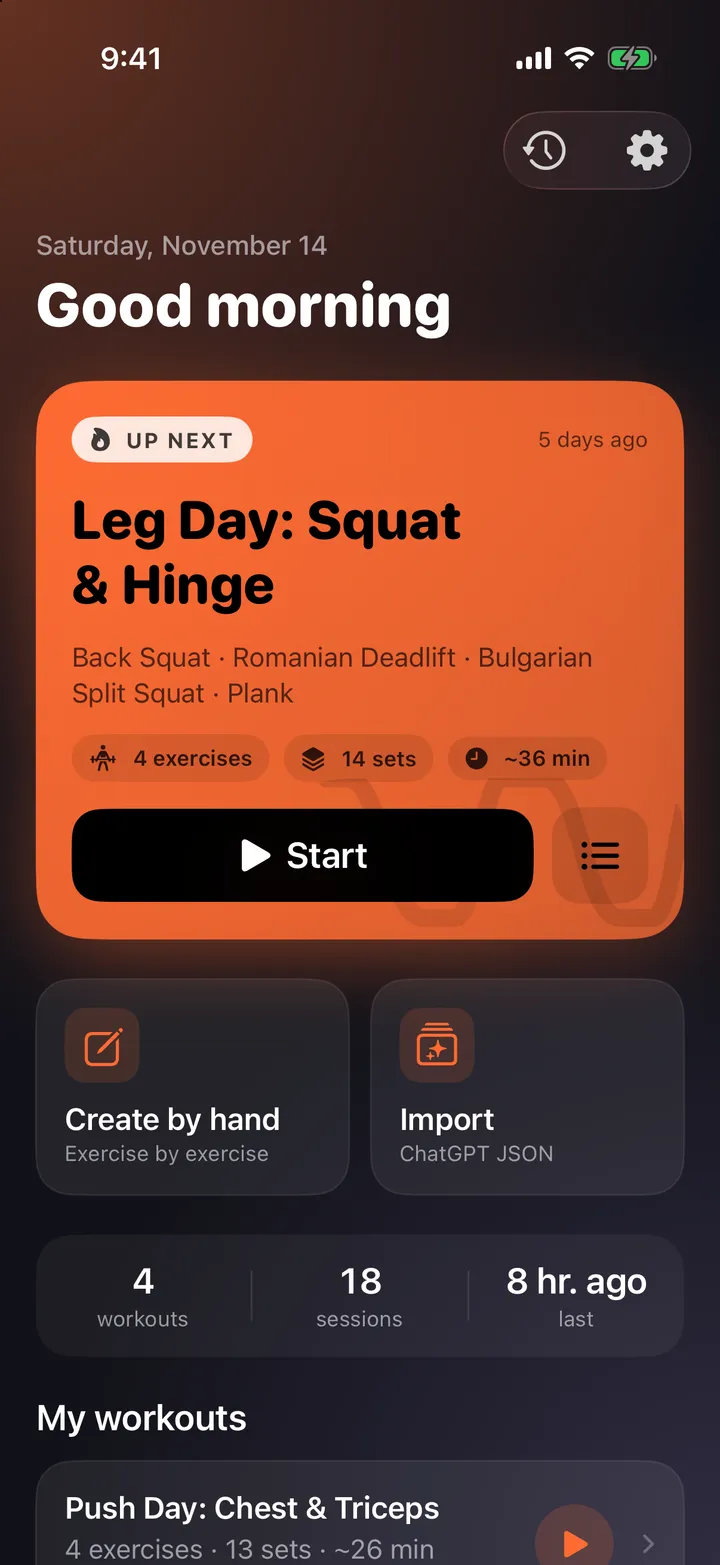
Build workouts exercise by exercise, or ask ChatGPT for one and paste it: sets, reps, weight, tempo, rest, supersets and warm-up sets.
A log of every set
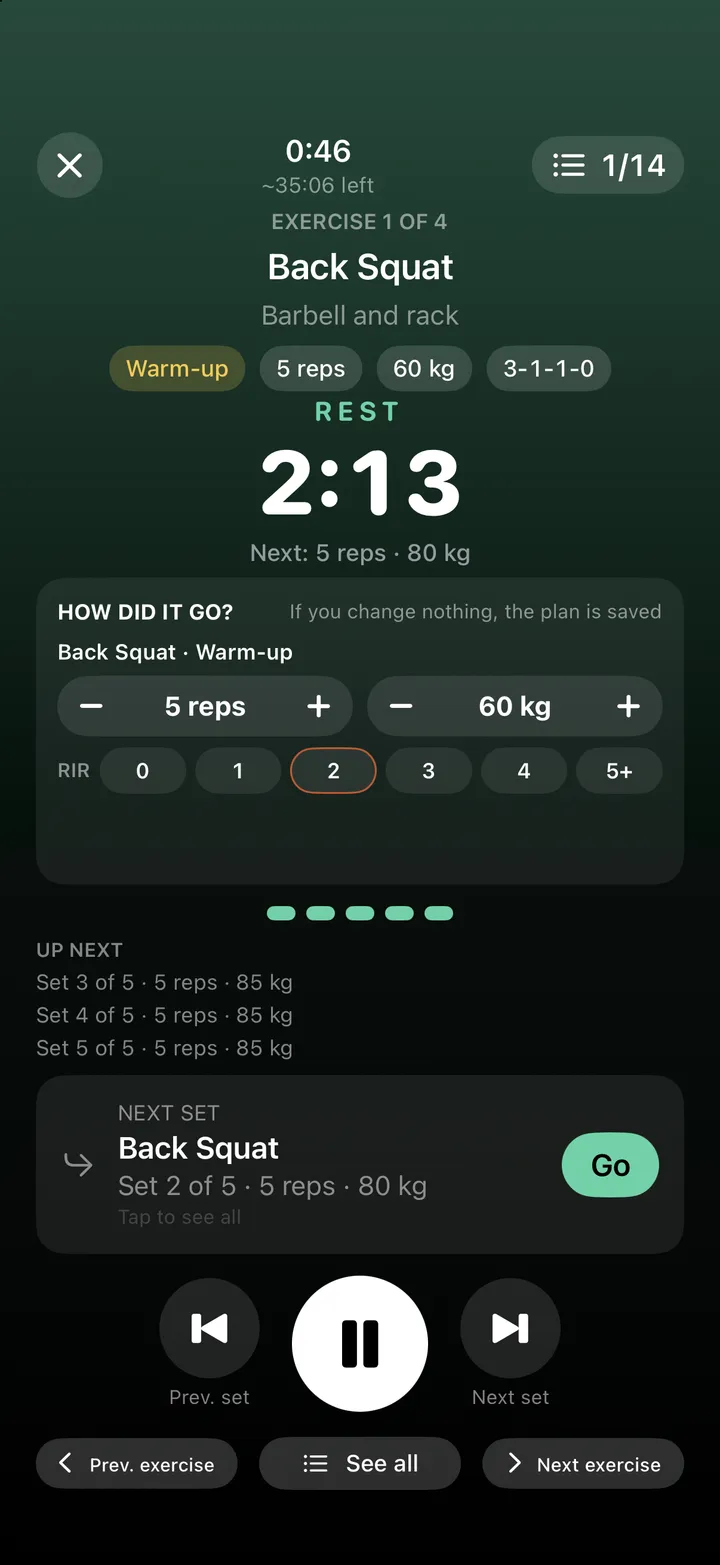
Adjust reps, weight and RIR during your rest, review every session and see what you lifted last time. It can save your workouts to Apple Health.
How it works
- Create a workout by hand, or copy the BullTime prompt into ChatGPT and paste the workout it returns.
- Press Start and follow the cues: BullTime marks each phase of every rep and times your rests.
- Correct what you actually did and copy the result for ChatGPT, ready to plan your next session.
Questions about BullTime
When will BullTime be available?
BullTime is coming soon to the App Store. If you would like to know when it launches, write to us at info@franamadis.com.
Do I need ChatGPT?
No. You can create every workout by hand. ChatGPT is an optional shortcut to generate a workout and to review your results.
Where are my workouts stored?
On your iPhone. BullTime has no accounts and does not send your workouts anywhere; it only saves them to Apple Health if you turn that option on.
What do I need to use it?
An iPhone with iOS 17 or later. The app is in English and Spanish.
BullTime is coming soon
Want to know when it launches? Write to us and we will let you know.